

Collabware CLM for SharePoint Productivity
Increase user productivity through information governance.
SharePoint is powerful, but sometimes too powerful. It can easily become a dumping ground for lost content if you don’t take control. With Collabware CLM you can control all aspects of content lifecycle and drive increased user productivity by helping them find and use content more efficiently.
SPECIFICATIONS
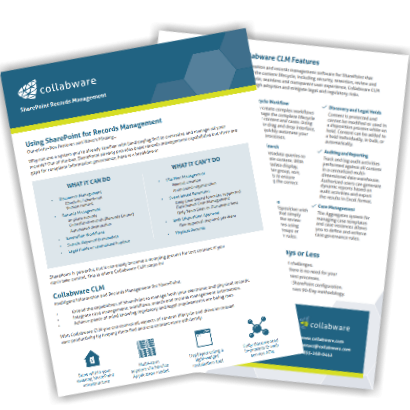
Access the SharePoint + Collabware CLM Info Pack
Complete the form for instant access to:
SharePoint Records Management out-of-the-box vs. SharePoint with Collabware CLM features
How to get up & running in 90 Days or less
Collabware CLM for Case Management
Manage your case content as a unit, and make it accessible.
You deal with cases in everything you do, so why let SharePoint be any different? With Collabware CLM you can define the rules and metadata you want to enforce with each case type, and allow authorized users to provision case instances. Users can then easily locate cases using search and quickly view associated content.
SPECIFICATIONS
Collabware CLM for Lifecycle Workflow
Handle complex lifecycle easily and visually.
The lifecycle of content doesn’t often flow in a linear way. With Collabware CLM you can easily create visual lifecycle workflows that handle complex content behaviors and user-driven events. Using the SharePoint integrated visual workflow design surface, you can embed powerful rules and actions to control the behavior of your content.
SPECIFICATIONS
Collabware CLM for Precision Search
Spend less time searching and more time finding.
Keyword search in SharePoint is great, but drilling through the results can be painful. With Collabware CLM you can take advantage of our Global Content Query system to perform advanced, precision metadata queries and then further group, sort, and filter the results using a familiar grid view.
SPECIFICATIONS
Collabware CLM for Records Disposition
Ensure defensible disposition with managed processes.
Disposition review doesn't have to be complex and painful. Collabware CLM provides an automatically managed, Microsoft SharePoint integrated bulk content disposition review system that facilitates simplified integration of users into the review process. You can perform reviews using pre-defined reviewer groups, or define dynamic reviewer rules.
SPECIFICATIONS
Collabware CLM for Bulk Content Review
Make content review processes more efficient.
Have you ever tried to review a bulk set of content in SharePoint? Please don’t. It’s painful. With Collabware CLM you can easily queue and review bulk sets of content as part of your business processes. Users can directly participate in the review process within SharePoint, without dropping a massive email bomb on them for each item up for review. One list, one email.
SPECIFICATIONS
Collabware CLM Technical Features
SharePoint 2010, SharePoint 2013 and SharePoint 2016
English, French and Spanish languages
Multi-farm support using Service Application model
No additional infrastructure required
Supports In-Place and Records Center storage
API available for .NET, REST and PowerShell
Why Choose Collabware CLM?
Protect content and mitigate risk.
Premature destruction can increase risk of regulatory penalties and fines
Inability to produce content in discovery can lead to legal loss

Meet legal and regulatory requirements.
SharePoint's basic compliance capabilities are not enough
Doing nothing increases your risk profile substantially
Enhance user engagement.
Compliance should not be hard ... Collabware CLM is simple, seamless, and transparent for users
User success equals SharePoint success
Why Choose Collabware?
Simple, seamless, and transparent.
We believe user adoption and engagement is our primary KPI
We focus on ensuring users see day-to-day business value with our products
Thinking differently about information.
We understand that managing content is only the beginning ... extracting new value is the future
"Impossible" is not in our vocabulary
Partnering for success.
Our immediate success comes from your immediate success
Our future comes from understanding and solving your challenges